Shopping on Boulderix
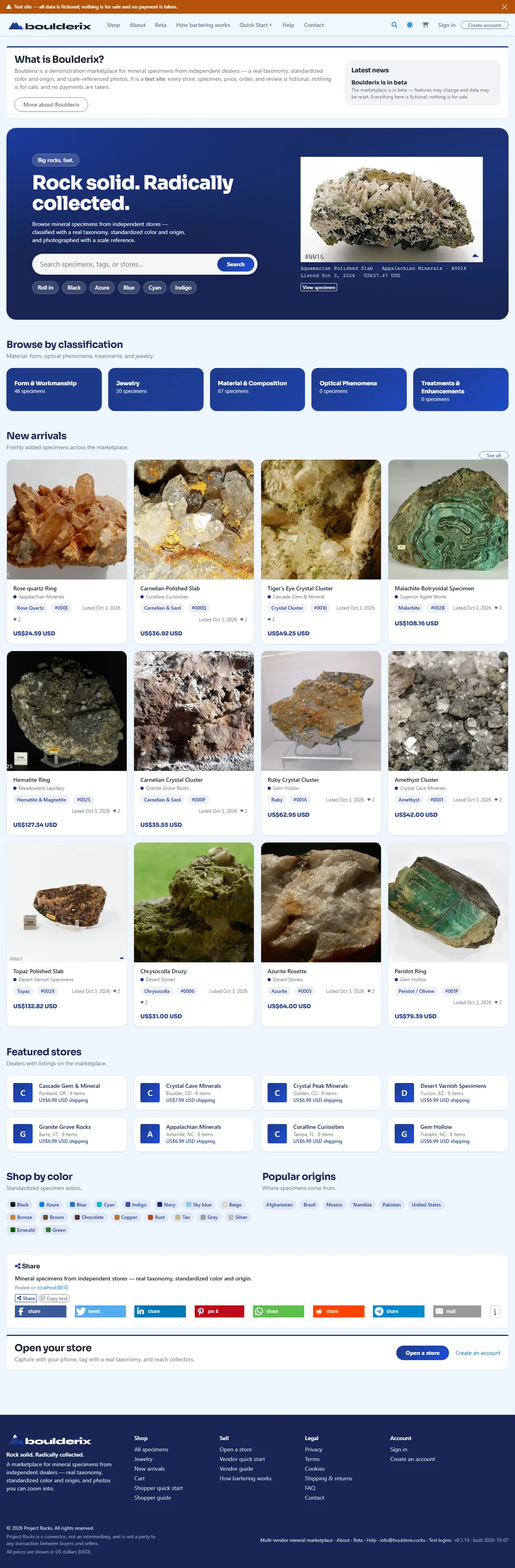
1. Browse & search the marketplace
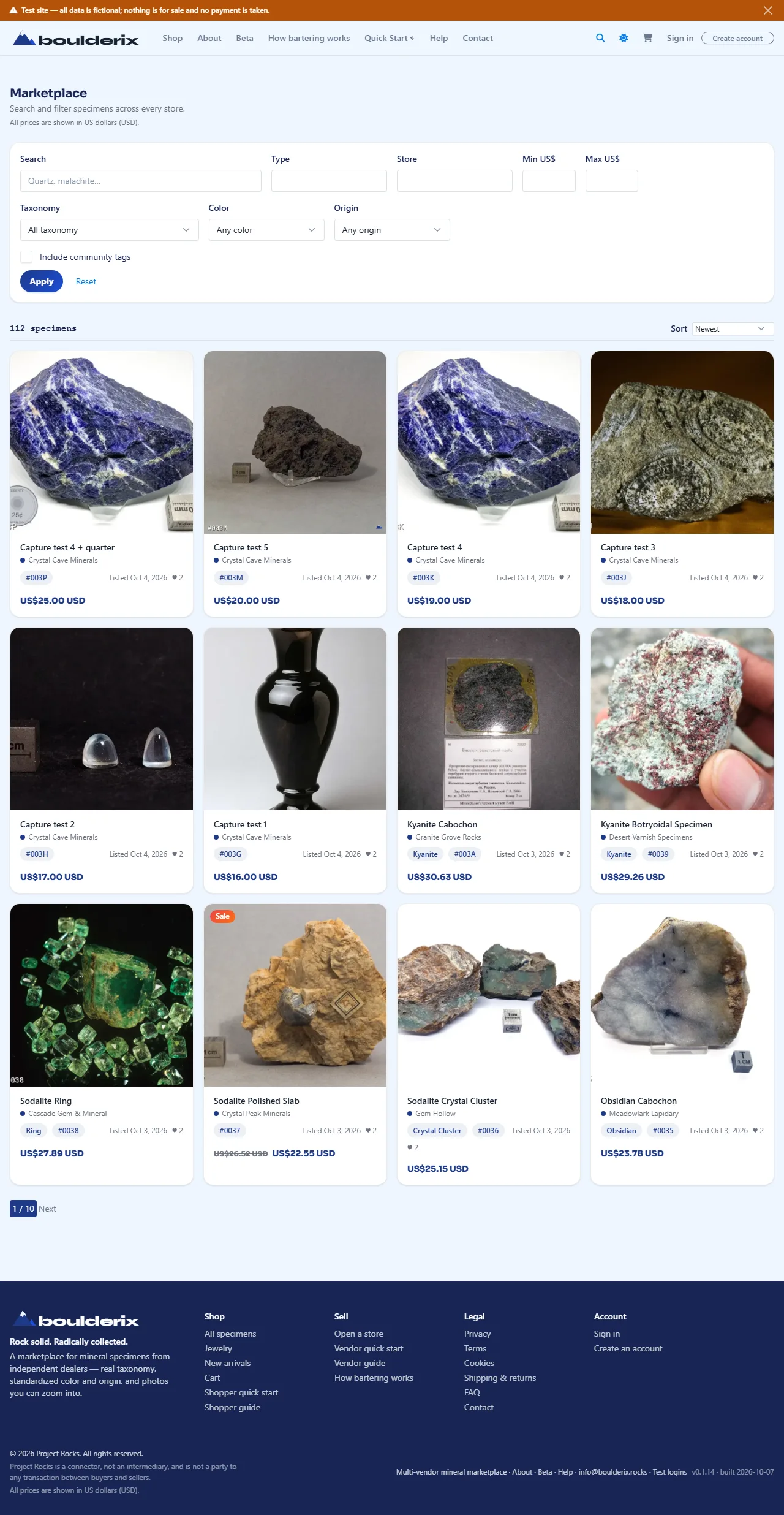
The Shop page searches across every active collectors and stores. You can search by text and filter the results:
- Text matches a specimen's title, description, material, tag names, and store name.
- Classification uses a real taxonomy; picking a term includes everything beneath it.
- Colour, origin (country, including its regions and localities), and a price range.
- Sort by newest or price, and optionally include shopper-contributed community tags.
Public listings include Showcase, Sale, and Exchange specimens. The listing mode tells you whether you can buy or propose a trade. Unlisted items and disabled accounts are excluded from discovery.
2. Inspect a specimen
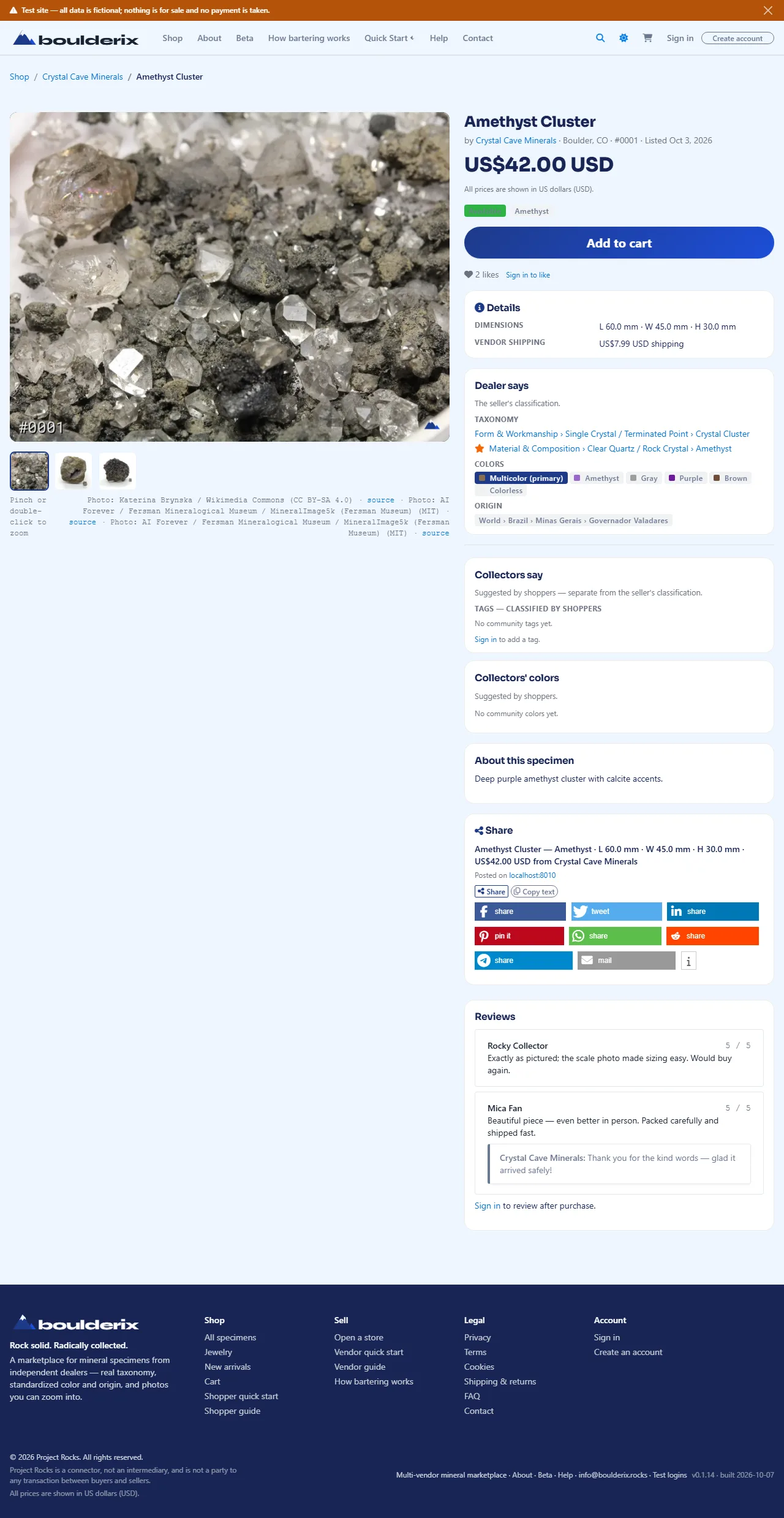
Each specimen page displays a prominent Buy / Add to cart button at the top of the page, a zoomable photo gallery (pinch or double-click to zoom), high-contrast listing-mode badges, the store's taxonomy classification, community tags, measured dimensions, weight, price, and advisory shipping estimate link. You can share the page with social buttons and copy links with instant inline feedback.
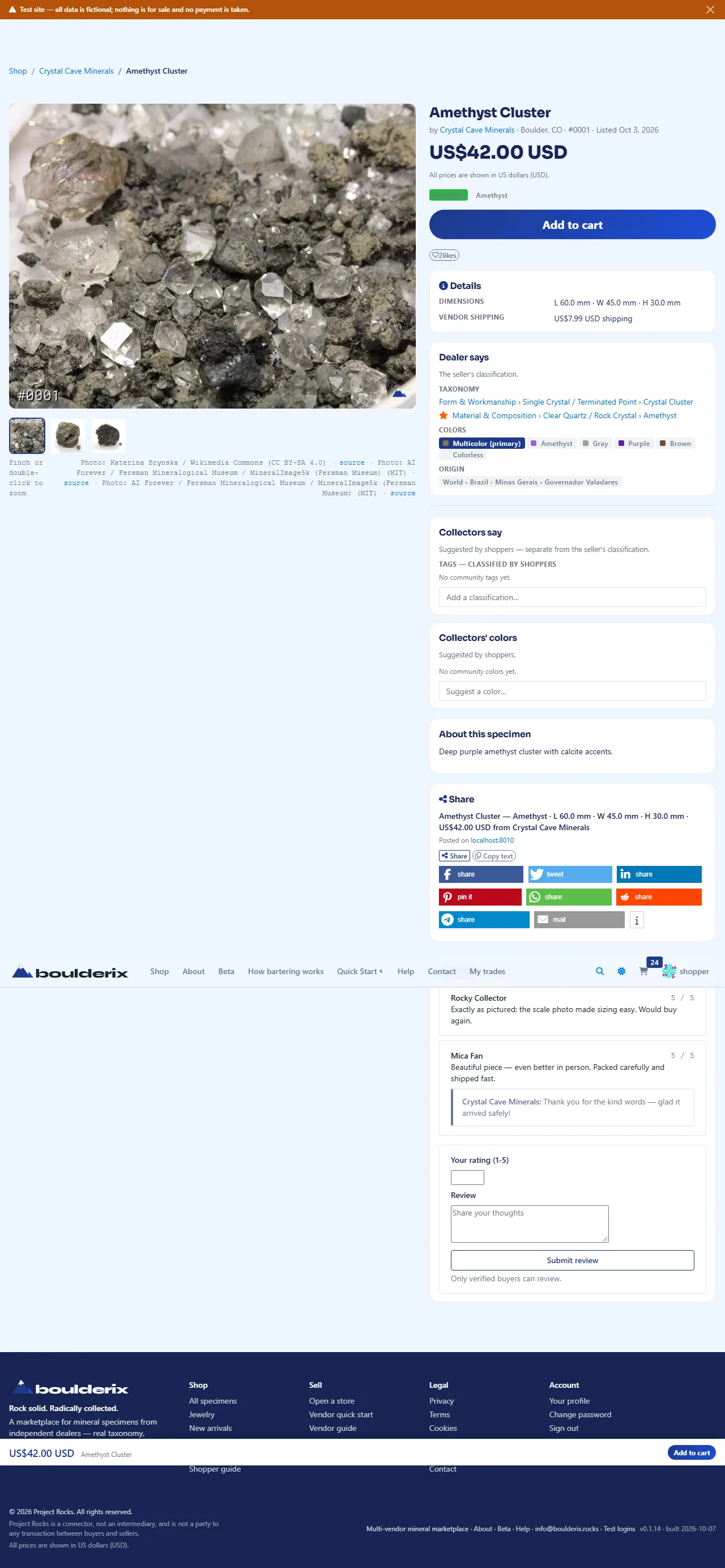
3. Reviews & likes
Reviews come from verified buyers — collectors who have completed an order containing the specimen. You can rate 1–5 stars and leave a comment after your order; the vendor may reply beneath it. If you are signed in, you can also like any listing directly from its card in the marketplace or storefront grid with one click (the vendor cannot like their own).
4. Your cart
Add a specimen with Add to cart on its page. The cart displays each item with a thumbnail, direct link to the listing, line price, and the seller → buyer shipping route with a link to check the advisory shipping estimate. Guests can build one seller's cart; registration and email verification are required to complete checkout.
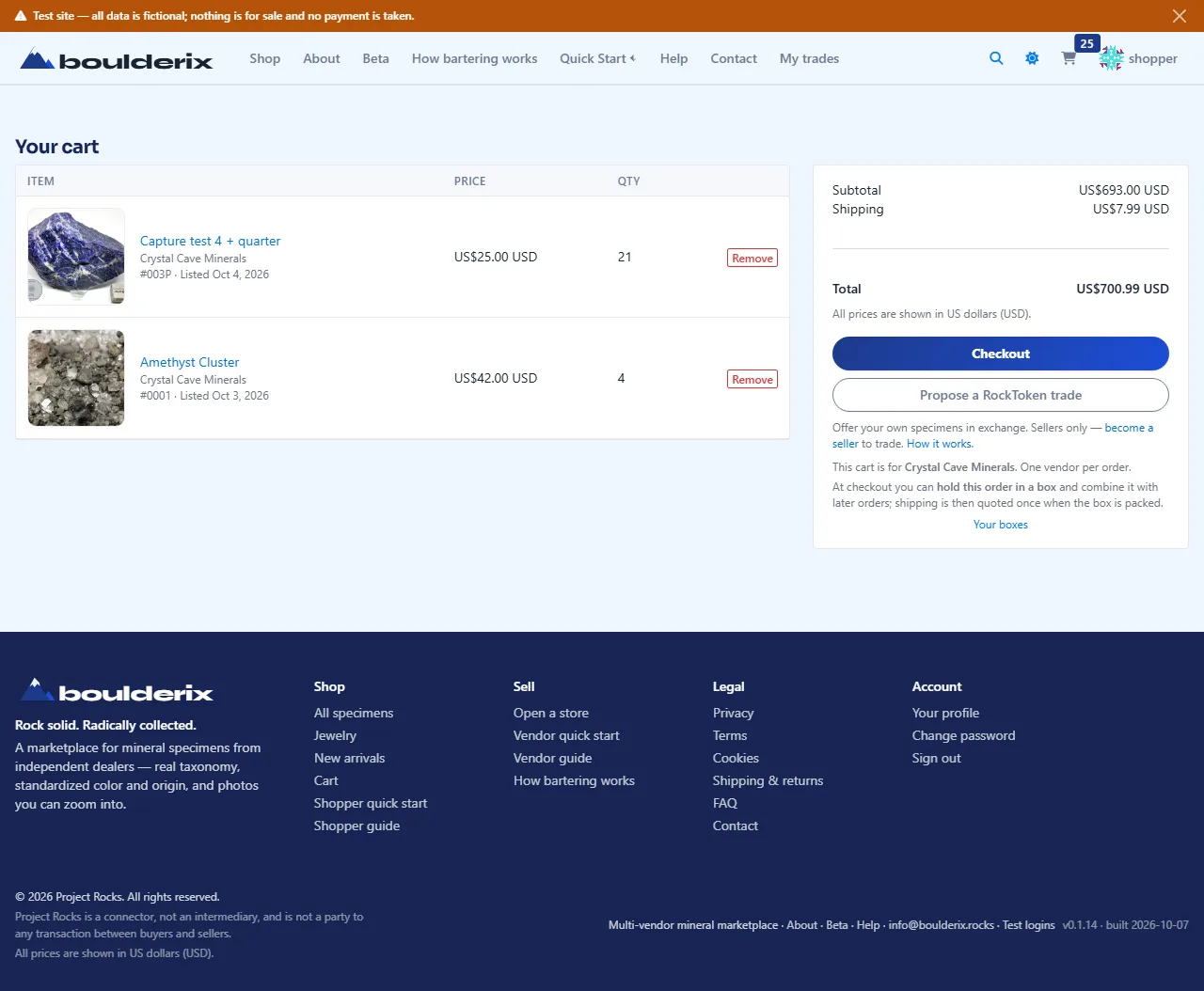
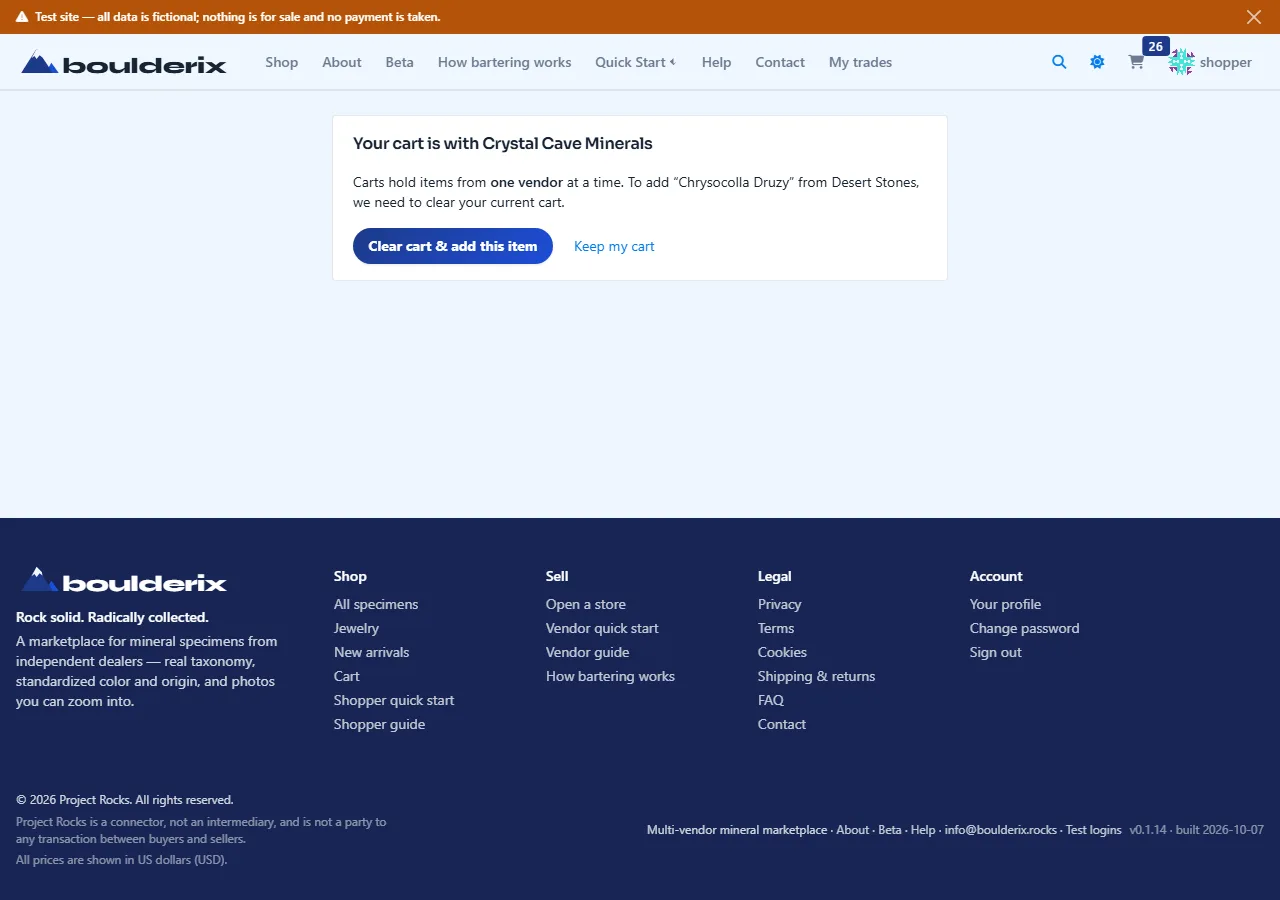
5. Multi-vendor carts (one cart per seller)
Because each seller packages, calculates shipping, and settles payment directly from their own location, each cart belongs to a single vendor. Signed-in members can keep multiple vendor carts open concurrently in Your cart and choose which seller to check out or propose a trade with independently. Adding items from multiple sellers creates separate vendor baskets without losing any previously selected items.
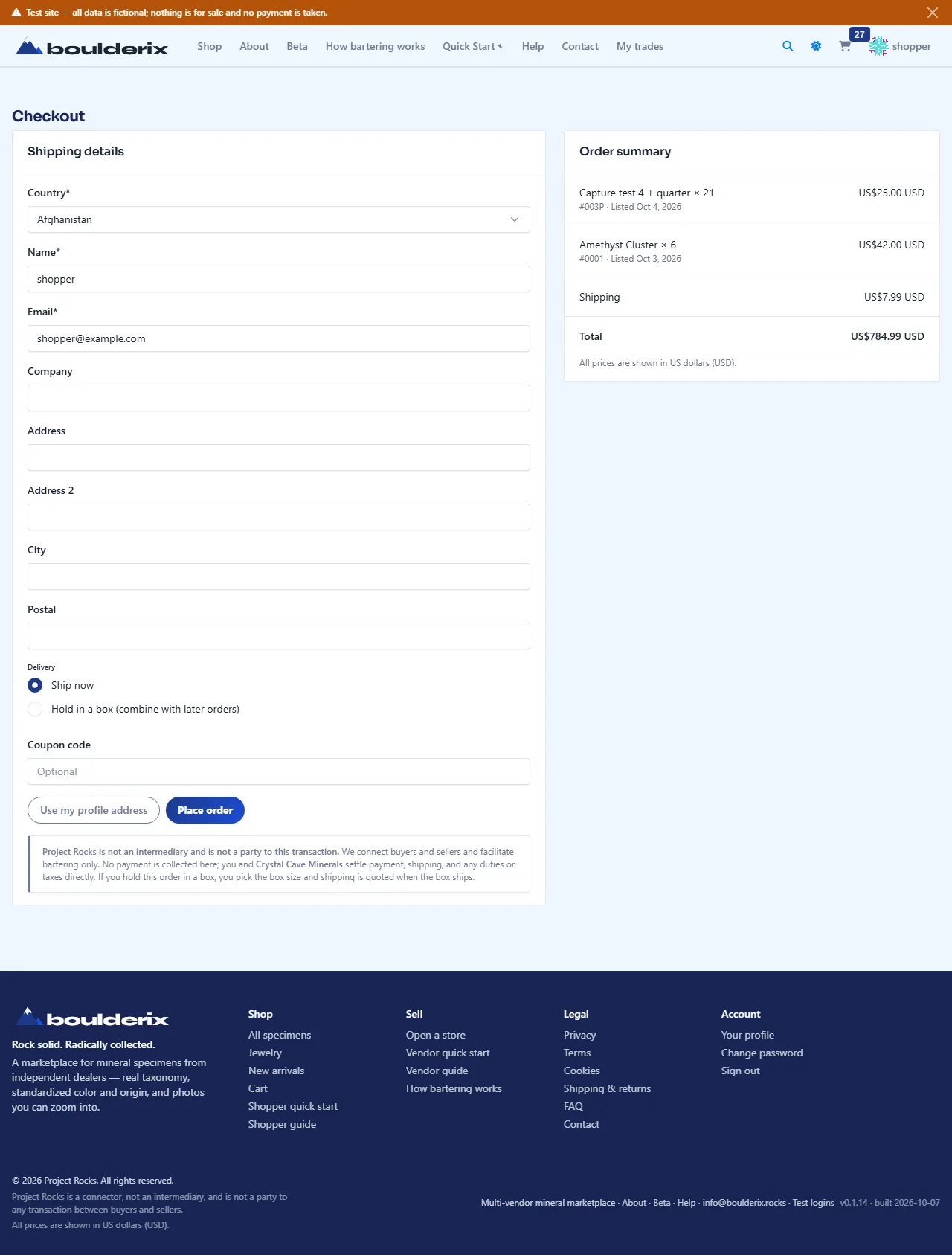
6. Checkout
Checkout collects your shipping address and an optional coupon code. No payment is taken on this site — sign in and verify your email first. Finishing checkout records the order and emails itemized copies with direct specimen links to both you and the vendor. Coupons and any automatic sale are applied automatically; the larger of the two wins.
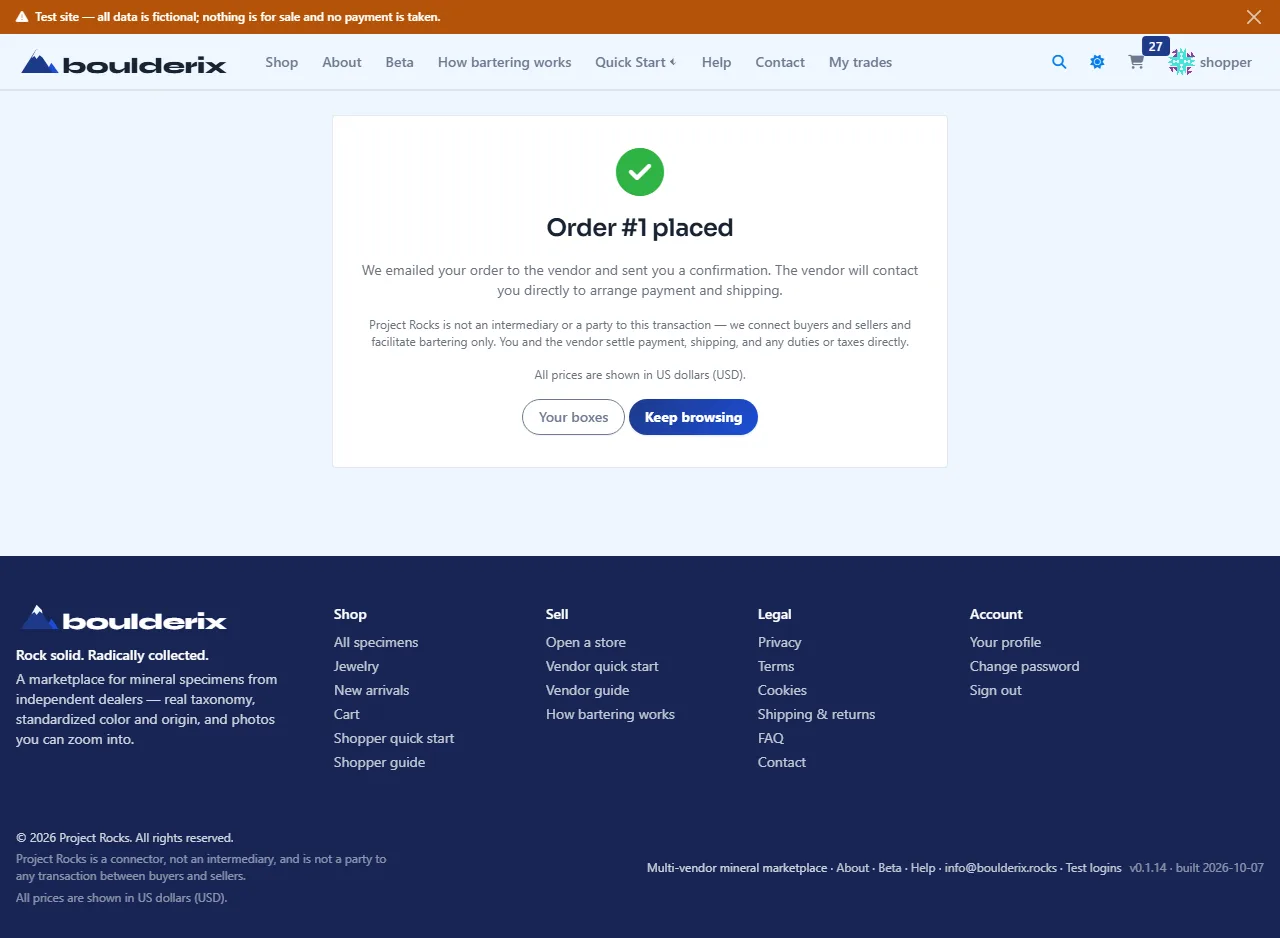
7. After you order & two-way messaging
You land on an order confirmation page with direct links to every item purchased, and receive an email copy.
Placing an order reserves the stock, so the listing transitions to Reserved.
- Order lifecycle: The vendor moves the order from
New→Contacted→Fulfilled(entering optional carrier and tracking number) orCancelled(with an explanation). - Two-way audited messaging: On your My orders & activity detail page, you can use the Message Vendor button to send inquiries or coordinate offline payment and delivery. Every message and status update is immutably logged in the chronological order audit trail.
- Clickable specimen links: Order confirmations, emails, and order history pages link directly to every specimen you ordered for fast reference.
8. Barter / swap
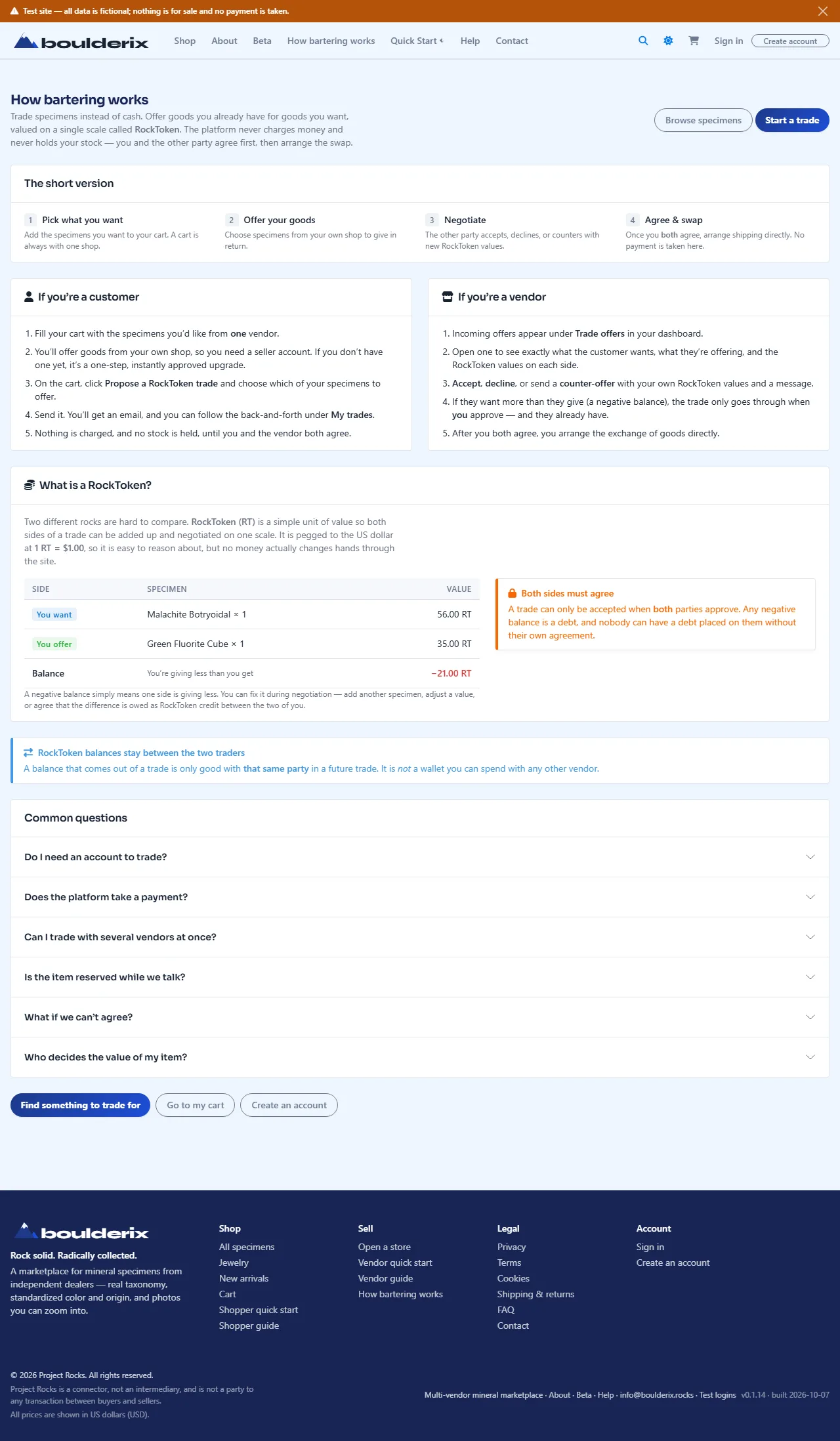
Instead of buying, you can propose a trade. Build a cart at one store, then “Propose a trade”, choosing goods from your own profile to offer. Both sides are valued in US dollars.
- The vendor can accept, decline, or counter with new values.
- A negative balance needs both parties' approval before a trade is accepted.
- After acceptance, both parties must mark it complete. The second confirmation transfers ownership in the app and removes transferred specimens from their old Swap Boxes. Physical delivery is arranged between the two members.
Read the full model on How bartering works, and track your proposals under My trades.
9. Auctions & bidding
The Auctions page features live auctions for single specimens and swap boxes. Bidding is open to all registered members:
- Proxy bidding: Enter your maximum bid. The system will bid the minimum increment on your behalf up to your limit.
- Anti-sniping: A bid in the closing window resets the remaining time to the seller-configured window.
- Winning: When the auction ends, both the winner and seller receive notification emails with contact details to arrange payment and delivery directly.
- Manage your activity: Track your active bids and won auctions under My bids in your top-right account menu.
10. Reputation, points & levels
Members earn reputation from confirmed community trades:
- +10 points per completed swap: When both parties confirm that a bilateral trade or swap box exchange has completed, both members receive +10 reputation points.
- Anti-farming rule (Sybil protection): Points are awarded only once per distinct trading partner. Repeating trades back and forth with the same person will not farm infinite points.
- Five collector ranks:
- Level 1: Novice (0–19 points) — Welcome tier for new collectors.
- Level 2: Apprentice (20–59 points) — First confirmed trading relationships.
- Level 3: Collector (60–149 points) — Active participant with established trade history.
- Level 4: Curator (150–299 points) — Highly respected community veteran.
- Level 5: Luminary (300+ points) — Elite cornerstone collector.
- Achievement badges: Community standing can include badges derived from your trading and following activity. Your member page shows your level and reputation.
- Demo vs. Real Data: Demo marks test records; Real marks non-demo records, not a mineral-authenticity certification. You can toggle between all, only real, or only demo data using the header dropdown anytime.
Explore the community standing and search by distance radius on the Collector Directory & Leaderboard.
11. Your account & activity hub
An account gives you access to review, like, trade, or bid. Click your avatar in the top-right corner to open your account menu with direct access to:
- My orders & activity: Unified tracker under My orders & activity covering your purchases, store sales, barter proposals, and live auctions in one tabbed hub.
- Trading & Swaps: Trade offers and My trades.
- Auctions: My bids and My listings.
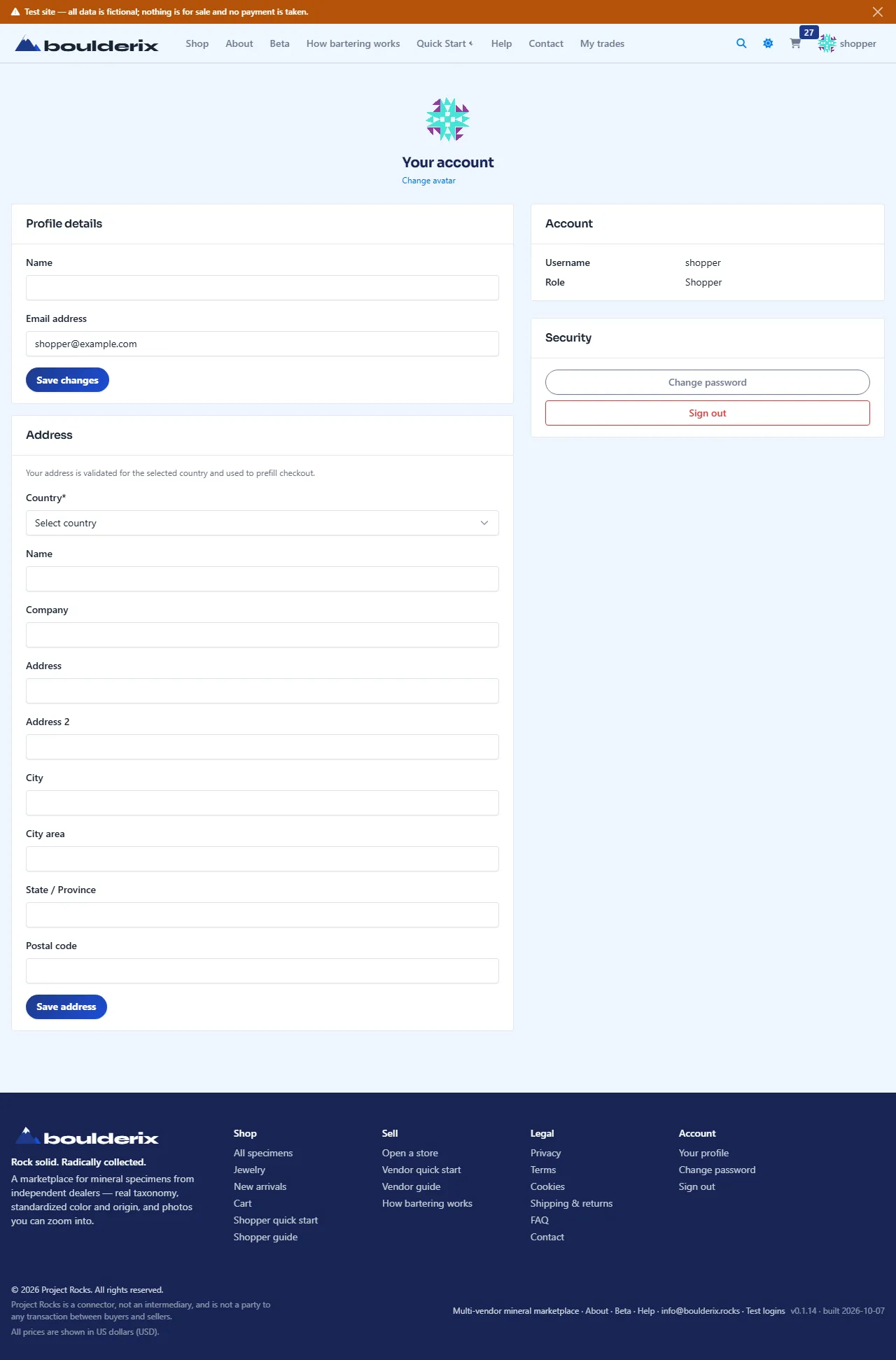
- Account settings & custom avatar: Upload your custom profile picture, manage saved address, and change password in your profile.
Verify your email
After creating an account, enter the six-digit code sent to your email. Until verification, you can browse as a guest; checkout, capture, and profile editing require verification.
Codes expire after 10 minutes. If a code does not arrive, check spam, confirm the email address, and use Resend code after the 60-second cooldown. Only the newest code works. Five incorrect attempts invalidate it; request a new code.
Changing your private login email in Your profile also requires a code. The old login email stays active until the new address is verified. Existing verified accounts do not need to verify again.
One public page for your collection and store
Your member page at /members/<username>/ is public to guests. Open My public page in your account menu. Your username is fixed in the profile editor; you can change your display name and business name.
- Header & cover banner: customise your profile with a high-definition Facebook Page standard cover banner (820×312 aspect ratio, processed to 1640×624 px WebP) and a square avatar/logo.
- Location hierarchy: select your location from the verified geographic place tree (Continent › Country › State/Region › Locality) to display accurate origin distance.
- Direct email invitations: invite up to 20 friends at a time by email with an optional personal message and track their visit status (Invited → Visited Site → Registered → Verified) while earning +10 Collector XP per verified signup.
- Overview: up to three recent specimens, public open Swap Boxes, and active auctions.
- Specimens, Swap boxes, Auctions: full paginated lists. Tabs remain visible when empty and show “No entries right now.” Swipe the tab row on a phone; shared tab links open that section.
- About & links: about text, the optional public contact email, and your external links. Guests can view all tabs; Follow and Message prompt sign-in.
In Your profile, save public details separately from account details and your private postal address. Your logo, cover banner, and profile picture can all appear. Add as many social, website, or store link rows as you need, including multiple accounts on the same network. Only rows with a URL appear; clear a URL or remove a row and save to remove it.
The optional public email is separate from your login email. Leaving it blank does not expose your login address. External links open in a new tab. The featured-listing option controls featured listings; it does not make your member page private. Disabled accounts are hidden from public pages.
Choose classifications with the picker
Read the public Taxonomy & Classification Guide to browse the hierarchy and try the picker without changing a specimen. Current system dimensions are Material, Form, Optical Phenomena, Treatments, and Jewelry.
The classification picker opens instantly and loads categories progressively level-by-level on demand, supporting deep 5+ level mineral classifications. Expand branches or search across all dimensions with debounced lookup, checking full breadcrumb paths to distinguish similar mineral varieties.
- 1-Click Personal Classification Tree: When typing a custom or regional variety not found in system dimensions, you can add it directly to your personal classification tree under your display name with 1 click.
- Collector XP: Classifying a specimen awards +1 Collector XP (up to 10 XP per day), both on your own specimens and when contributing community tags on fellow collectors' pieces.
Verified members can add terms under any existing dimension and parent; new terms are immediately available and show their creator for admin review. Your personal tree stays visible and organized even if your account status changes.
Shipping estimates and offline settlement
Open Shipping calculator from the header or directly from any Cart, Checkout, or Order Detail page. The calculator pre-fills origin and destination countries and packed parcel weights to show estimated reference rates.
- Direct route pre-fill: Cart, Checkout, and Order Detail show the seller → buyer shipping route and link directly to the calculator with pre-populated weights.
- Hold in a box: Orders from the same seller gather with shipping deferred. Request shipping from Your boxes when ready, and the seller confirms the combined box size and delivery details offline.
The calculator creates no shipment and saves no address to your account. No payment is collected by the platform. See Shipping & Returns for delivery and return arrangements.
Find and contact other collectors
Use the Community menu for the Community Hub, Discussion forums, the Wanted board, Collectors, and the Collector map.
Browse publicly, then sign in to participate or use Follow and Message on another member's page. Public profile links show where else that member can be found. Use Contact for platform help.
This is a fictional demonstration site — every store, specimen, price, order, and review is synthetic and nothing is for sale.